Introduction
Modern software teams face a relentless integration challenge: their products must connect to dozens, sometimes hundreds, of external systems. Payroll platforms, HRIS tools, benefits carriers, and CRM systems all need to talk to each other — and building each integration from scratch is slow, expensive, and fragile.
According to the 2025 MuleSoft Connectivity Benchmark Report, the average enterprise now manages 897 applications, yet only 29% are integrated. IT teams spend 39% of their time building custom integrations just to keep data flowing. This gap creates data silos, delays product launches, and drains engineering resources.
iPaaS emerged to close that gap. This guide covers what iPaaS is, how it works, its core components, key benefits, and where it fits — and where it falls short — for teams in HR Tech, Benefits Tech, and beyond.
TLDR:
- iPaaS is a cloud-based platform that connects applications, data sources, and systems without custom integration code
- IT teams spend 39% of their time on custom integrations; iPaaS reduces integration timelines by 60-65%
- Leading platforms offer 400-1,200+ pre-built connectors with low-code interfaces for faster deployment
- General iPaaS handles broad connectivity well, but domain-specific HR and Benefits data models often need extra work
What Is iPaaS? Breaking Down the Definition
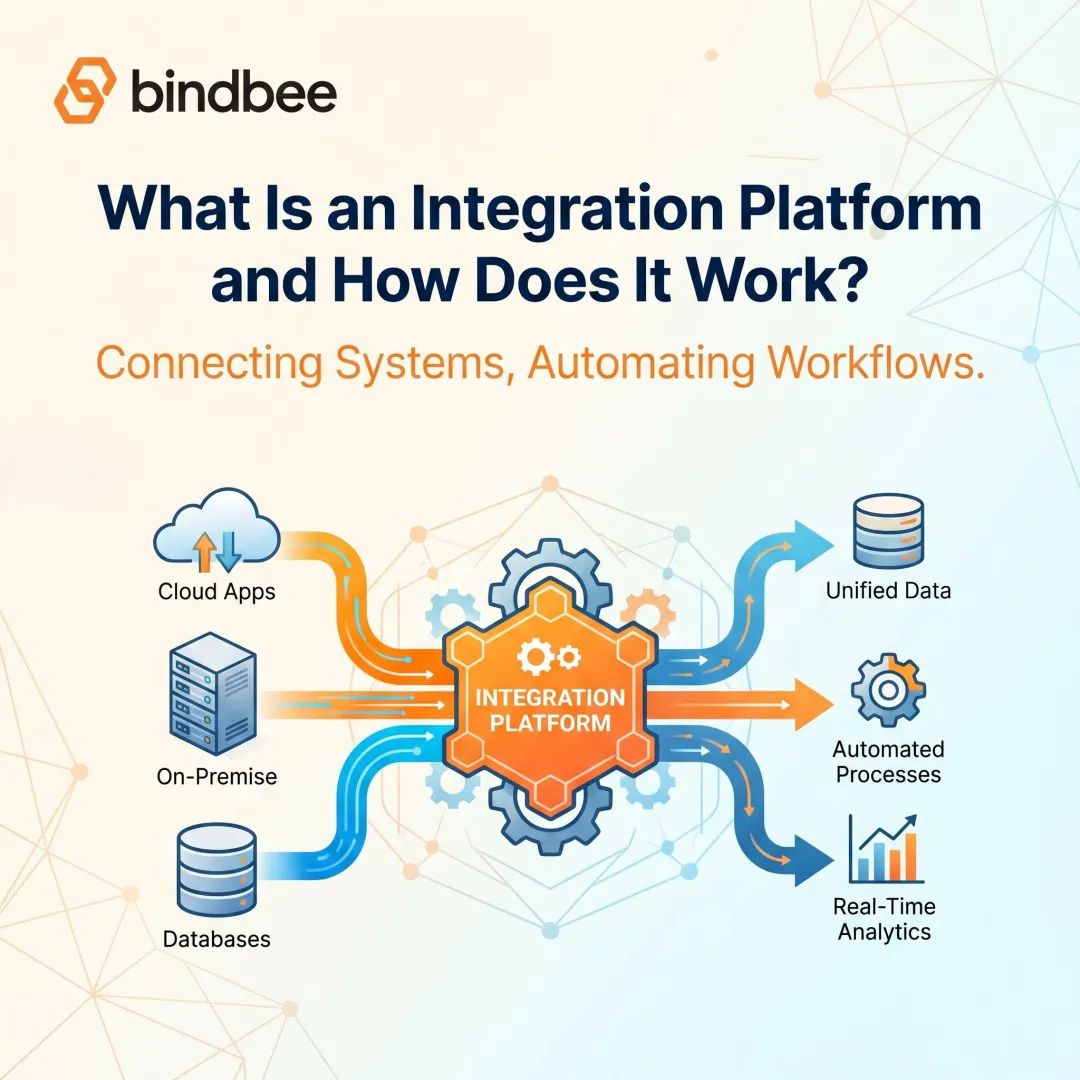
iPaaS stands for Integration Platform as a Service — a cloud-based platform that enables organizations to connect disparate applications, data sources, and systems without building custom point-to-point integrations from scratch. The "as a service" model means the vendor hosts, maintains, and manages the underlying infrastructure on a subscription basis.
Understanding the Acronym
Breaking down each component:
- Integration — connecting apps, APIs, databases, and workflows so data flows automatically between systems
- Platform — a centralized environment where all integration logic is designed, deployed, and managed
- As a Service — delivered via the cloud, maintained by the vendor, accessible without on-premise hardware
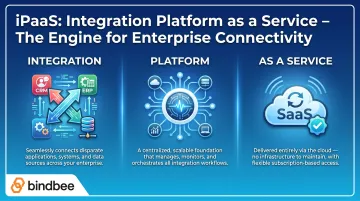
Gartner defines iPaaS as "a vendor-managed cloud service that enables end users to implement integrations between applications, services and data sources, both internal and external to their organization."
The Problem iPaaS Solves
Before iPaaS, teams relied on custom coding, middleware like Enterprise Service Buses (ESBs), or Enterprise Application Integration (EAI) tools. These approaches were slow to build, costly to maintain, and difficult to scale as connected systems multiplied.
The numbers explain why that model breaks down. Enterprises now run 897 applications on average, with 71% managing 1,000+. Each new connection requires weeks of development, and ongoing API changes create constant maintenance overhead.
iPaaS vs. Related Technologies
iPaaS is often confused with similar-sounding technologies:
- PaaS (Platform as a Service) provides a general development environment for building applications — integration is not its purpose
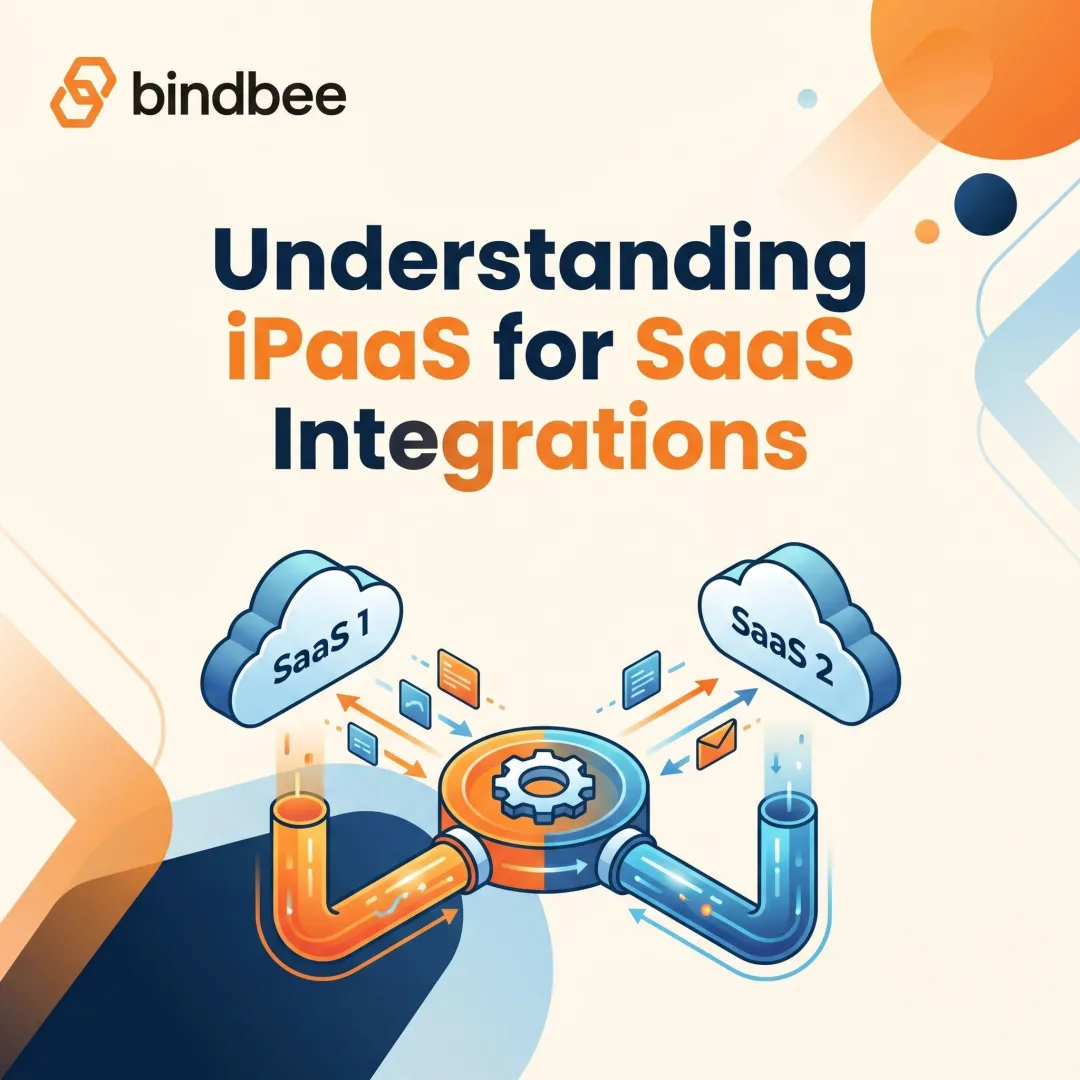
- SaaS (Software as a Service) delivers end-user applications; iPaaS is what connects those applications to each other
- API gateways handle API management and traffic routing — iPaaS uses APIs as one tool within a much broader integration platform
Embedded iPaaS (EiPaaS)
The distinctions above cover general-purpose iPaaS — but SaaS product teams often need something different. Embedded iPaaS lets B2B software companies build integration capabilities directly into their product, so end users can configure connections without leaving the application. Rather than connecting internal systems, embedded iPaaS becomes part of the product itself.
Core Components of an iPaaS Platform
Every iPaaS platform contains several foundational components that enable integration at scale.
Pre-Built Connectors and Adapters
iPaaS platforms provide libraries of ready-to-use connectors for popular applications like Salesforce, SAP, Workday, and hundreds of others. These connectors eliminate the need to write custom integration code for each new system.
Connector counts vary by vendor:
- Workato: 1,200+ pre-built connectors
- Boomi: 1,000+ prebuilt connectors
- MuleSoft: 400+ pre-built connectors
Pre-built connectors handle authentication protocols, API version differences, and data schema variations automatically — the heavy lifting that would otherwise require weeks of custom development.
Data Mapping and Transformation
Different systems use different data formats: JSON, XML, CSV, and legacy formats like EBCDIC. iPaaS platforms include transformation tools that translate data from one format to another so information flows accurately without corruption or data loss.
Schema differences are a separate challenge. An employee record in System A might use "emp_id" while System B uses "employee_number." Mapping tools let you define these field relationships once, rather than hard-coding transformations for every integration.
Workflow and Integration Flow Designer
Low-code and no-code visual interfaces let users design integration flows without deep programming knowledge. Each flow is built from four building blocks:
- Triggers — the event that starts the flow
- Conditions — criteria that must be met before proceeding
- Transformations — how the data format is modified
- Destinations — where the processed data is sent
Integration flows fall into two categories:
- Execute immediately when a specific event fires — for example, when a new hire is added to the HRIS
- Run on a fixed schedule — for example, syncing employee data every night at midnight
According to IBM, iPaaS platforms optimize for low-latency, near-real-time connectivity with response times measured in milliseconds or seconds.
Monitoring, Alerting, and Management Dashboard
Centralized dashboards provide visibility into all active integrations through a single management plane. When an integration breaks, you need to know which flow failed and why — fast. A well-built monitoring layer tracks:
- Data flow volume and throughput
- Error rates and failure reasons
- Performance bottlenecks
- Uptime and SLA compliance
Benefits of Using an iPaaS Platform
Faster Integration Deployment
Pre-built connectors and visual flow designers dramatically reduce time to connect two systems. Forrester TEI studies found:
- MuleSoft customers: 426% ROI over three years with 60% faster IT project delivery
- Boomi customers: 347% ROI over three years with 65% reduction in integration timelines
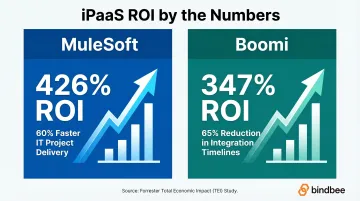
What once took weeks of custom development now takes hours or days.
Elimination of Data Silos
iPaaS creates a unified data layer across your entire application stack. 90% of organizations report that data silos create business obstacles.
When sales, HR, finance, and customer success teams share a synchronized data set — rather than isolated copies in separate systems — decisions improve and errors drop.
Reduced Maintenance Burden
Because the iPaaS vendor manages underlying infrastructure, connector updates, and API version changes, internal engineering teams avoid ongoing maintenance costs. Point-to-point integrations break whenever an upstream API changes, pulling developers away from feature work to investigate and patch. iPaaS vendors absorb that maintenance load, freeing engineers to build product instead of babysitting connections.
Common iPaaS Use Cases
Application-to-Application Sync
Connecting two or more SaaS tools so data flows automatically between them. Examples include:
- Syncing a CRM with marketing automation platforms
- Connecting an HRIS with a payroll system
- Linking project management tools with time tracking software
Real-time sync matters when speed is critical — for example, order processing. Batch sync works for less time-sensitive operations such as daily financial reporting.
Data Migration
Moving large volumes of data from legacy systems to new cloud-based platforms during system transitions. iPaaS handles format transformation, validation, and deduplication during migration.
Business Process Automation
Designing end-to-end workflows that span multiple systems. AWS documentation cites employee onboarding as a strong example: one trigger event in the HRIS automatically provisions IT accounts, enrolls the employee in benefits platforms, and sends welcome communications, with no manual handoffs required.
HR.com found that 81% of organizations say poor integration limits HR technology effectiveness, making automation workflows a high-impact use case.
iPaaS vs. Other Integration Approaches
iPaaS vs. ESB (Enterprise Service Bus)
ESBs are centralized, on-premise middleware architectures traditionally used to integrate internal enterprise applications. According to Workato, key differences include:
| ESB | iPaaS |
|---|---|
| On-premises deployment | Cloud-native SaaS |
| Hub-and-spoke architecture | Distributed architecture |
| Requires specialized middleware developers | Low-code/no-code interfaces |
| High CapEx (licenses, hardware) | Subscription-based OpEx |
| Manual scaling | Elastic scalability |
ESBs struggle in cloud environments because they lack native connectors for modern SaaS apps and cannot scale elastically when data volumes spike. Most organizations hit this wall when their SaaS stack grows beyond a handful of applications — at that point, ESB maintenance costs and connector gaps make migration to iPaaS a practical necessity.
iPaaS vs. ETL Tools
ETL (Extract, Transform, Load) tools are designed specifically for batch data movement into data warehouses or reporting systems. IBM clarifies that iPaaS is broader:
- iPaaS: Event-driven, real-time, bi-directional data flow; API-led connectivity; handles "light" transformations
- ETL: Batch-oriented, scheduled processing; database/file-led; handles "heavy" transformations like cleansing and complex joins
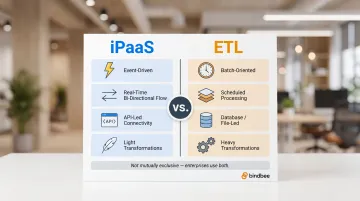
These are not mutually exclusive — mature enterprises use iPaaS for operational agility and ETL for strategic analytics.
iPaaS vs. Custom API Integrations
Custom integrations and iPaaS each have a clear home depending on the use case:
- Use iPaaS for standardized workflows — syncing contacts between a CRM and email platform, for example — where speed and lower ongoing cost outweigh the need for full control
- Use custom integrations when you need proprietary domain logic, non-standard protocols, or behavior that no pre-built connector can accommodate
- Consider both in parallel: iPaaS handles the 80% of common integration patterns while custom code covers edge cases
The trade-off is straightforward: iPaaS ships faster and costs less to maintain; custom code gives you precision where connectors fall short.
What HR Tech and Benefits Platforms Should Know About iPaaS
General iPaaS platforms are built to serve a wide range of industries and use cases, which means they rely on generic data models. For HR Tech and Benefits Tech products that need to connect to 60+ HRIS, payroll, and carrier systems, this creates challenges.
The Domain-Specific Data Model Gap
Generic iPaaS platforms may not recognize domain-specific objects like:
- Benefits enrollment records
- Dependent relationships and coverage tiers
- Life events that trigger eligibility changes
- Plan elections with effective dates
G2 lists 8,951 total HR software products, and HR.com reports that 81% of organizations say poor integration limits HR technology effectiveness. That fragmentation leaves product teams doing extensive custom mapping work just to make general iPaaS platforms understand HR data structures.
Purpose-Built Unified APIs as an Alternative
Unified APIs purpose-built for HR eliminate this configuration burden. Instead of teaching a general platform what a dependent coverage tier is, product teams connect to infrastructure that already normalizes data from 60+ HR systems into benefits-first data models.
Bindbee, for example, provides ready-to-use models for employee benefits, employer benefits, and dependent benefits as distinct objects — without the mapping overhead a general iPaaS requires.
Compliance and Security Stakes
HR and benefits data includes sensitive personal information: Social Security Numbers, dependent details, health plan elections. IBM's 2024 Cost of a Data Breach report found healthcare breaches average $9.77 million per incident — the highest of any industry.
Any integration approach — whether general iPaaS or purpose-built API — must meet these standards:
- HIPAA — required for health plan and benefits data
- SOC 2 Type II — validates security controls through independent audit
- ISO 27001 — certifies information security management practices
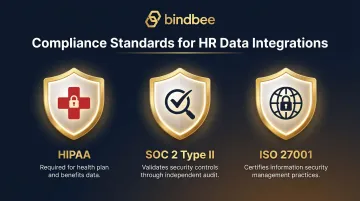
Leading iPaaS vendors like MuleSoft and Boomi hold these certifications. Confirm vendor compliance before connecting production systems.
Frequently Asked Questions
What is iPaaS?
iPaaS (Integration Platform as a Service) is a cloud-based platform that connects applications, data sources, and systems through pre-built connectors and API tooling. The vendor manages infrastructure and maintenance on a subscription basis, eliminating the need for custom point-to-point integration code.
Is iPaaS the same as SaaS?
No. SaaS is a cloud-delivered software application, while iPaaS is a type of SaaS product specifically designed to connect and integrate other applications. iPaaS is sold in a SaaS model but its purpose is integration, not end-user functionality.
What are common iPaaS use cases?
The most frequent use cases include:
- Syncing data between cloud applications such as CRM and ERP
- Automating multi-step business processes triggered by system events
- Migrating data during platform transitions
- Connecting legacy on-premise systems to modern cloud tools
What is the difference between iPaaS and ESB?
An ESB is an on-premises middleware architecture typically used for internal enterprise integrations. iPaaS is cloud-native, vendor-managed, and designed for connecting both cloud and on-premises systems with much lower setup and maintenance overhead.
How does iPaaS handle data security and compliance?
Leading iPaaS vendors provide encryption in transit and at rest, role-based access controls, audit logging, and certifications including SOC 2, ISO 27001, and GDPR readiness. Organizations should evaluate each vendor's specific certifications against their own compliance requirements.
Can iPaaS replace custom API integrations entirely?
iPaaS handles most standard integration scenarios without custom code. For highly complex or domain-specific cases (such as benefits-specific data models in HR Tech), organizations may need purpose-built integration infrastructure or custom development alongside their iPaaS layer.