Introduction
HR Tech and Benefits Tech platforms live or die on their integrations. To serve customers, you need employee data from dozens of HRIS and payroll systems — and that means making a foundational choice early: build directly against each vendor's API, or use pre-built connectors? Both deliver employee data, but they work very differently.
The wrong approach means months of engineering work, integrations that break with every vendor update, and maintenance costs that pull your team away from your core product.
The right approach gets your first integration live in hours — not weeks — while keeping your engineers focused on product features that actually differentiate you.
According to research from Sacra, businesses traditionally needed to build 40-50 individual connectors to achieve just 75% HRIS market coverage. With over 1,000 HRIS platforms in use globally and no single vendor holding more than 20% market share, the integration challenge isn't getting easier—it's accelerating.
TL;DR
- APIs define the rules for how two systems communicate — but using them directly requires custom engineering work
- Connectors are pre-built tools that implement API logic for specific systems without low-level coding
- APIs deliver maximum control; connectors deliver speed and ease with less customization
- Platforms connecting to multiple HRIS systems should weigh engineering capacity, speed-to-market, and long-term maintenance before choosing
API vs Connector: Quick Comparison
| Dimension | API | Connector |
|---|---|---|
| Definition | Set of rules and protocols defining how systems communicate | Pre-built software component that implements API communication on your behalf |
| Setup Time | 2-6 weeks per integration (enterprise systems take 1-3 months) | Hours to days with pre-built solutions |
| Customization Level | Complete control over authentication, data formats, and request logic | Limited to connector's pre-configured capabilities |
| Maintenance Burden | 60-70% of total cost; requires constant monitoring and updates | Managed by connector provider; minimal internal overhead |
| Best For | Single-system deep integration, proprietary workflows, unique requirements | Multi-system connectivity, standard data needs, limited engineering resources |
| Technical Requirement | In-depth API documentation knowledge, custom code development | Basic integration skills, configuration over code |
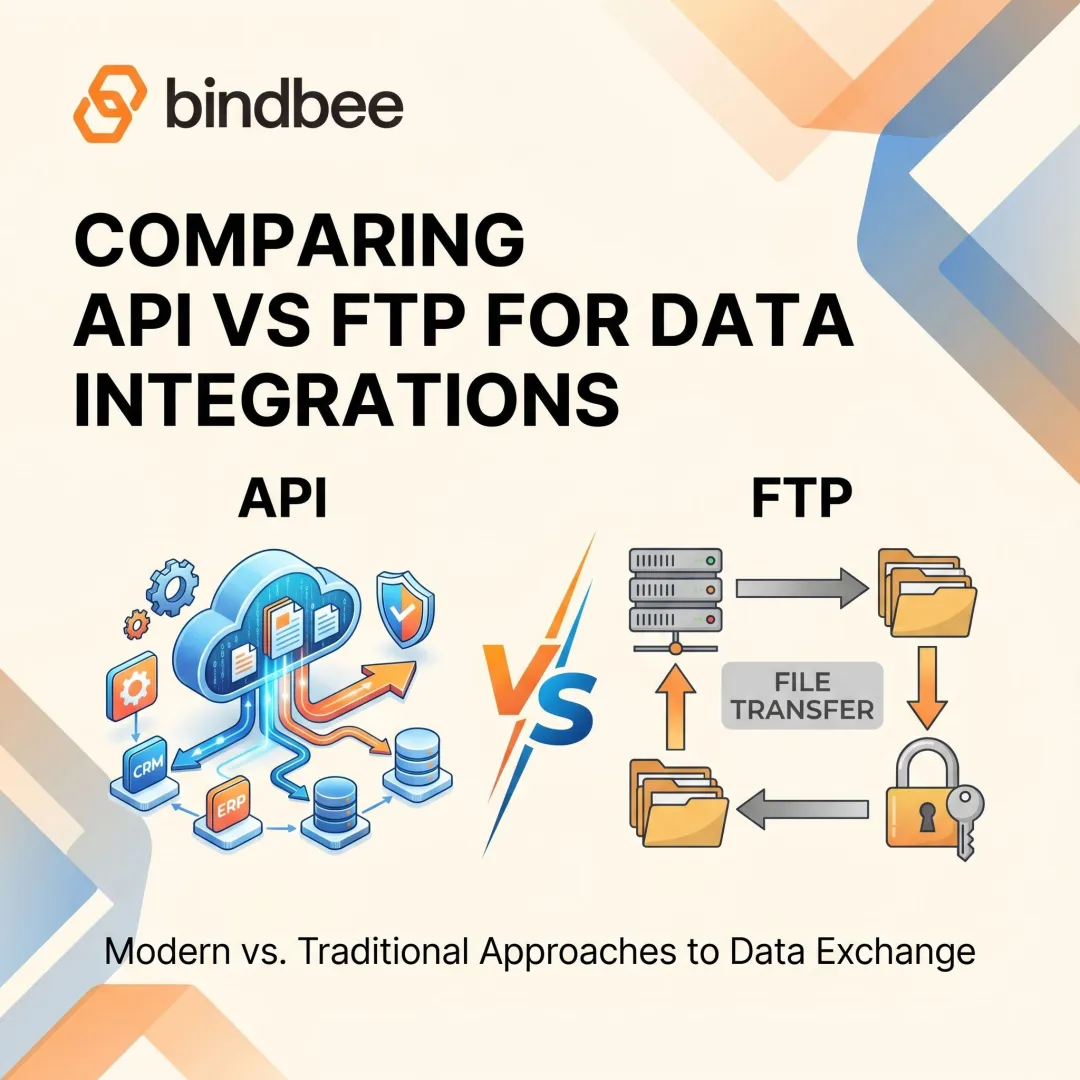
These tools aren't mutually exclusive. Connectors are typically built on top of APIs, handling the low-level complexity while exposing a simplified interface. Knowing where each fits — raw control versus fast deployment — determines which approach actually serves your product and team.
What is an API?
An API (Application Programming Interface) is a set of protocols, rules, and definitions that governs how two software applications communicate and exchange data. Think of it as a contract: it defines what operations are available and how to request them, but executing the integration is entirely on you.
APIs are system-agnostic and support a wide range of use cases. They give developers granular control over authentication methods, data formats, error handling, and request logic — which is exactly what makes them indispensable, and exactly what makes them expensive to build.
Implementing an API integration requires significant development work. A developer must authenticate, construct requests, parse responses, handle errors, and maintain the integration as APIs evolve. Each step is billable engineering time.
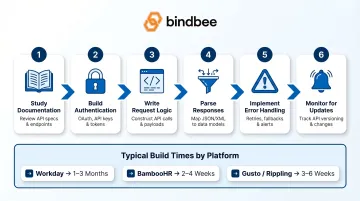
The development lifecycle looks like this:
- Study vendor documentation and authentication requirements
- Build authentication flows (OAuth, API keys, SAML)
- Write request logic for each data endpoint
- Parse and normalize response formats
- Implement error handling and retry logic
- Monitor for API version updates and breaking changes
Those steps compound fast. According to research cited by Truto, a single Workday integration takes 1–3 months to build, BambooHR requires 2–4 weeks, and systems like Gusto or Rippling need 3–6 weeks each. Supporting just five HRIS platforms requires approximately 30 engineer-weeks — before maintenance even begins.
Use Cases of APIs in HR and Benefits Tech
APIs are the right choice when you need deep, custom access to a specific platform. Examples include:
- Writing data back to an HRIS to update employee records or trigger lifecycle events
- Accessing non-standard fields unique to one employer's configuration
- Building proprietary workflows that no pre-built connector supports
- Integrating with a single well-documented system where you control both ends
The trade-off is resource intensity. Forrester research indicates that 30–50% of total integration budgets go to ongoing maintenance — API updates, error resolution, and security patches. For teams maintaining 20+ custom integrations, annual costs can exceed $500,000.
What is a Connector?
A connector is a pre-built software component that implements communication with a specific application or system on your behalf. It wraps the underlying API calls, handles authentication, and maps data fields.
The result is a simplified interface — developers don't need to understand every detail of the target system to work with it.
Connectors are purpose-built for specific systems or data sources, come with pre-configured logic, and sharply cut the time and expertise required to establish an integration.
Key connector characteristics:
- System-specific implementation (e.g., a "Workday connector" or "ADP connector")
- Pre-configured authentication and data mapping
- Abstraction layer that hides API complexity
- Faster deployment than custom API builds
Connector types relevant to HR Tech:
- Pre-built/Native Connectors: Maintained by the vendor, these ship ready to connect with specific platforms like Workday, BambooHR, or Salesforce — no custom build required
- Custom Connectors: Built in-house to handle non-standard or legacy systems where no pre-built option exists
- Unified/Normalized Connectors: Surface data from many systems through one interface, applying a common data model so your application doesn't have to handle format differences per system
That convenience comes with a tradeoff: connectors create their own maintenance challenge. They must be updated whenever a source system changes its API. Workday ships two major releases per year; Gusto may release new API versions monthly with a 12-month support window. Teams relying on many individual connectors face significant ongoing maintenance burden — unless you shift that burden to a vendor.
Use Cases of Connectors in HR and Benefits Tech
Connectors are the right choice when you need to integrate with many systems quickly, when your team lacks deep API expertise for each platform, or when the integration logic is standard enough that a pre-built solution covers your needs.
Example scenario: A benefits administration platform needs to onboard employer clients across Workday, ADP, Gusto, Rippling, and 30 other HRIS systems. Building native API integrations for each would take months and consume engineering bandwidth needed for core product features. Connectors reduce that timeline from weeks to days.
The average organization now uses 16.24 HR applications, up from 8.85 two survey periods prior. Yet 68% of organizations use disconnected HR platforms. Pre-built connectors address this fragmentation without requiring proportional engineering headcount.
API vs Connector: Which Should You Use?
Your decision should be driven by four factors:
1. Number of systems to integrate
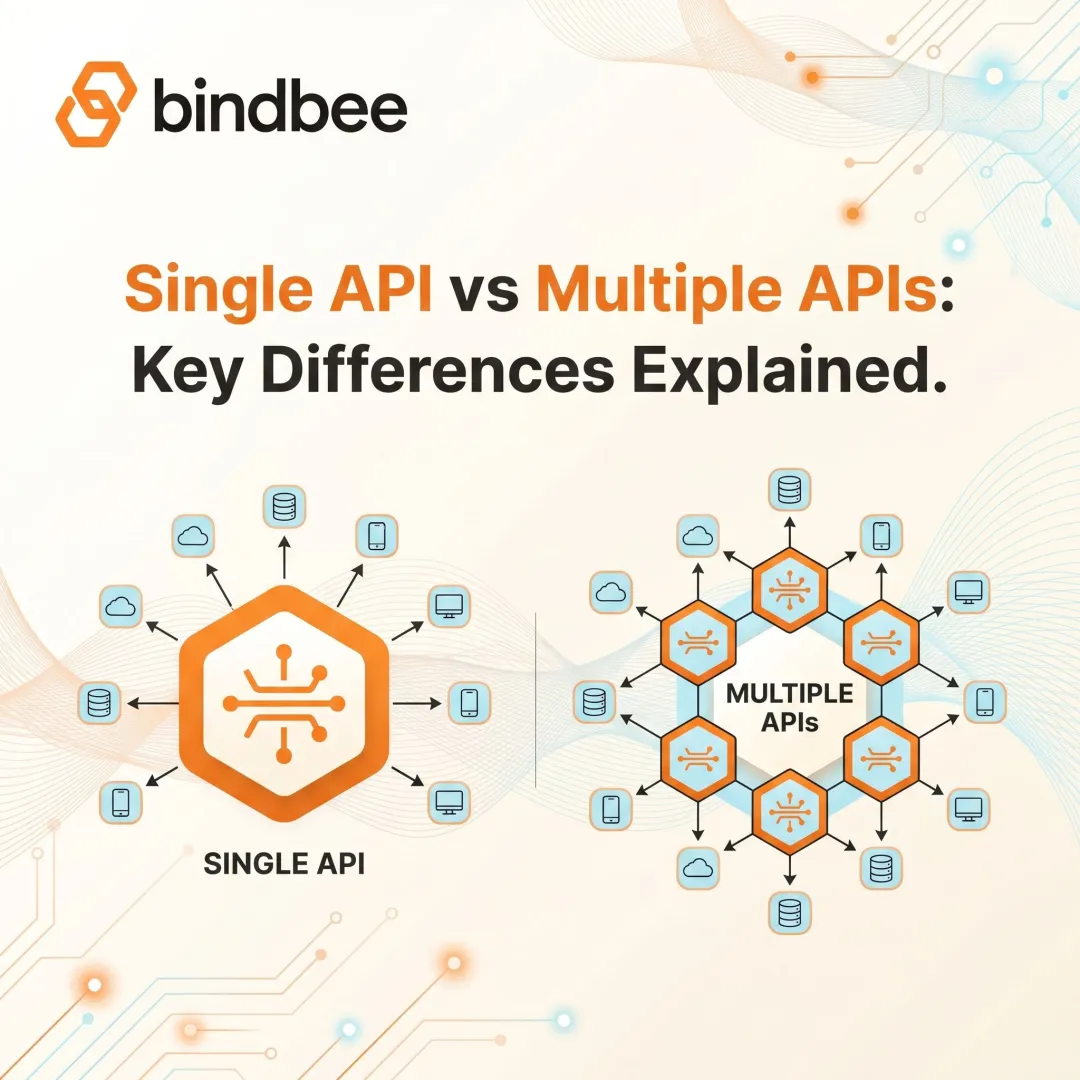
More systems favor connectors. Building and maintaining individual API integrations doesn't scale linearly: it compounds with every vendor update, new field requirement, and edge case employer configuration.
2. Need for customization
Unique workflows favor APIs. If you're building proprietary features that no pre-built connector supports, direct API access gives you the control you need.
3. Engineering resources
Limited teams favor connectors. Most SaaS companies spend roughly 40% of engineering time maintaining integrations rather than building core product features.
4. Speed-to-market
Faster timelines favor connectors. If you need to connect quickly and can work within standard data models, connectors deliver immediate value.
Choose a direct API integration when:
- You need deep, proprietary access to a single system
- Your engineering team has bandwidth
- You require behavior that no pre-built connector supports
- You're building a product that controls both ends of the integration
Choose connectors when:
- You need to connect to many systems quickly
- You want to standardize data across platforms
- You need to minimize the integration surface your team maintains
- Time-to-market is critical
That decision framework has a financial dimension worth spelling out. When a Benefits Tech or HR Tech platform needs to support 40+ HRIS systems, building individual API integrations creates exponential cost. Initial development represents only 30-40% of total cost of ownership; maintenance and updates account for the remaining 60-70%. Over time, self-maintained integrations cost 40-70% more than third-party commercial solutions.
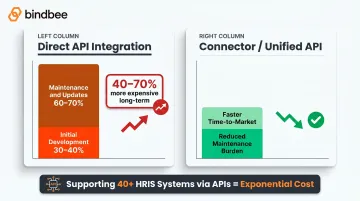
In practice, these two approaches work together. Most scalable integration architectures use connectors built on top of APIs — so you get the convenience of pre-built connections without giving up the interoperability that APIs provide at the foundation.
Real-World Context: HR Tech Integrations at Scale
Benefits Tech companies, TPAs, and HR Tech platforms face a unique challenge: they need to connect to 60+ HRIS, payroll, and benefits carrier systems to serve their employer clients. Neither raw APIs (too slow, too costly) nor fragmented point-to-point connectors (too brittle, too much maintenance) fully solve this problem.
This is where unified APIs deliver value. Instead of building or maintaining individual connectors for each HR system, platforms connect once to a unified API and get normalized employment, benefits enrollment, and dependent data across all supported systems.
Bindbee operates as a unified API and managed connector layer built specifically for this use case. Rather than spending 4-8 weeks per integration, platforms using Bindbee complete setup in less than one day. The platform handles authentication, data normalization, version management, and ongoing maintenance—cutting the ongoing maintenance burden of custom API builds.
Key capabilities include:
- Single integration point covering 60+ HRIS, payroll, and benefits systems
- Automatic updates when vendor APIs change, with no maintenance work on your end
- Distinct data models for employee benefits, employer benefits, and dependent benefits
- SOC 2 Type II and ISO 27001 compliance built in
- 76% faster employer onboarding compared to traditional integration approaches
If your team is weighing native API builds against a patchwork of connectors, Bindbee's unified API is worth a look as a way to cut that tradeoff entirely.
Conclusion
APIs and connectors serve different roles. APIs define the rules of communication and give you maximum control, while connectors implement those rules for specific systems and give you speed. Neither is universally superior—the right choice depends on how many systems you're connecting, how much customization you need, and what your team can realistically build and maintain.
For HR Tech and Benefits platforms building products that need to scale across dozens of employer systems, the most practical path is often a unified connector layer built on a well-structured API. Bindbee, for example, provides exactly this: a single connection point that normalizes data across 60+ HRIS and payroll systems, so your team ships integrations in hours instead of weeks — and spends engineering time on your core product, not on maintaining one-off connections.
Frequently Asked Questions
What is an API?
An API (Application Programming Interface) is a set of rules and protocols that defines how two software systems can communicate and exchange data. It specifies what operations are available and how to call them — the connection logic is handled separately by the systems using it.
What are the four types of APIs?
The four main types are Open/Public APIs (available to external developers), Partner APIs (shared with specific partners), Internal/Private APIs (used within an organization), and Composite APIs (combine multiple APIs to perform a sequence of tasks).
What are the three types of connectors?
The three types are pre-built/native connectors (vendor-maintained, application-specific), custom connectors (user-built for non-standard systems), and unified/normalized connectors (aggregate multiple systems under a single interface and data model).
What is the difference between an API and a plugin?
An API is a communication interface between two separate systems, while a plugin is an add-on that extends the functionality of a specific application from within. Plugins often use APIs internally, but they live inside the host application rather than acting as a separate integration layer.
Can APIs and connectors work together?
Yes, connectors are built on top of APIs. The connector handles the low-level API implementation so developers interact with a simplified interface, meaning they complement each other rather than compete. For HR Tech teams, this means faster integration across dozens of systems without rewriting API logic for each one.