


SAP HR Integration: Key Benefits and Implementation Guide
Summarise the blog with AI
Did you know that 48% of payroll professionals are burdened by manual data entry, and 55% cite fixing recurring payroll errors as a top frustration? These inefficiencies stem from disconnected HR and payroll systems, inconsistent employee data, and manual reconciliations.
SAP HR integration solves these challenges by automating the flow of employee data, compensation updates, and employment events across payroll, finance, and downstream systems. This reduces errors, off-cycle corrections, and rework, while improving compliance and operational efficiency.
In this blog, you’ll learn what SAP HR integration is, why organizations face challenges, common approaches, key data issues, and how to implement scalable, compliant solutions.
At a Glance
- What SAP HR Integration Is: A structured data exchange between SAP HR and other enterprise systems to ensure employee, payroll, finance, and compliance data stays consistent.
- Why It Matters: Disconnected SAP HR data leads to payroll errors, compliance gaps, reporting inaccuracies, and manual reconciliation.
- Where Integrations Break: Custom point-to-point builds, inconsistent data models, unclear system ownership, and weak monitoring.
- How to Integrate Properly: Define systems of record, standardize employee data, validate inputs early, automate syncs, and monitor continuously.
- Business Impact: Accurate payroll, stronger compliance, reduced manual work, and scalable workforce operations.
What SAP HR Integration Actually Means
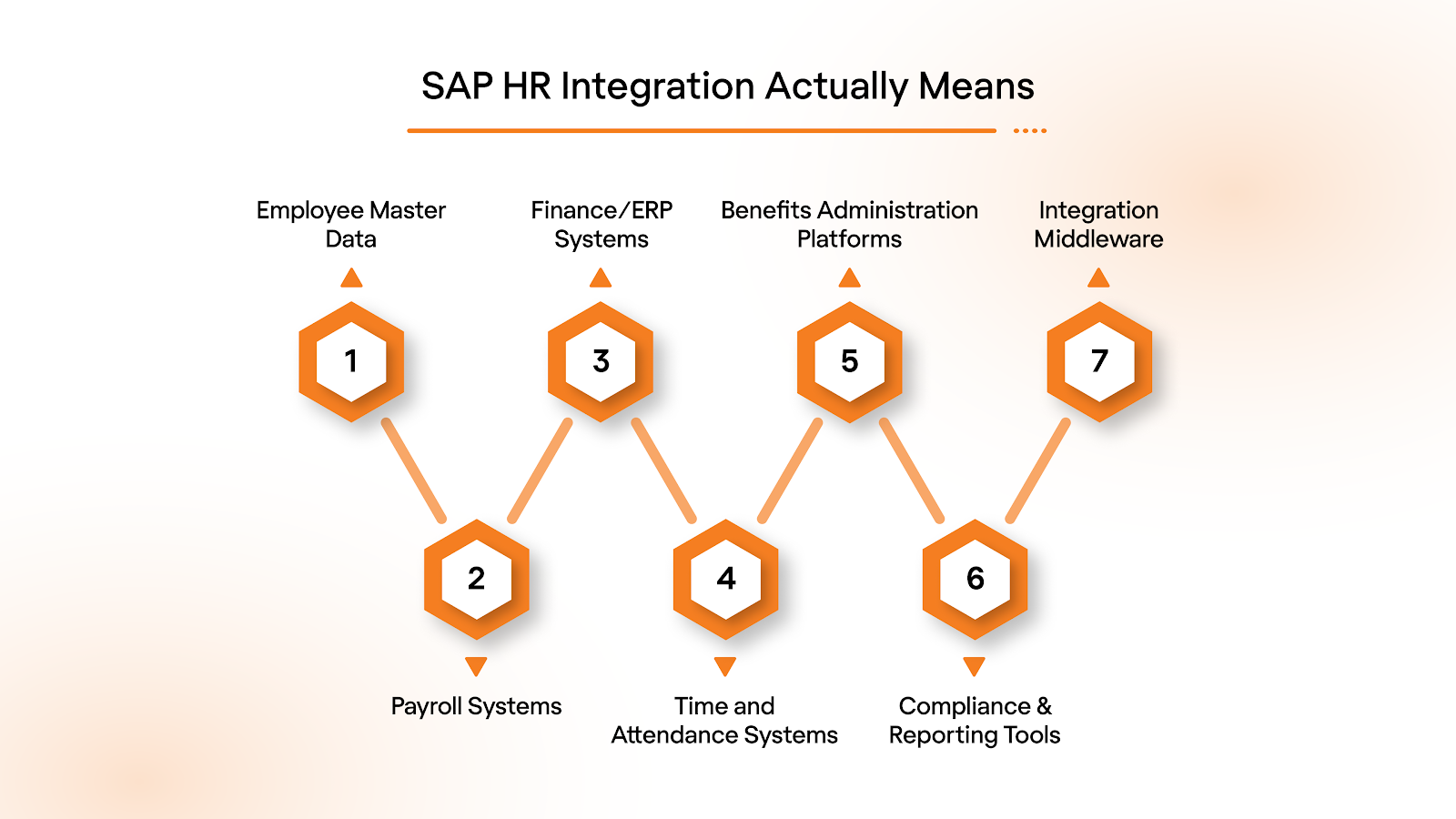
SAP HR integration is the process of systematically connecting SAP Human Resources systems (SAP HCM or SuccessFactors) with other enterprise applications to ensure a seamless, real-time flow of employee and organizational data. It is not just about moving data; it ensures accuracy, consistency, and compliance across HR, payroll, finance, and downstream processes.
Below are the key components that make SAP HR integration possible:
- Employee Master Data: Centralized records including personal details, job roles, compensation, and organizational assignments.
- Payroll Systems: Integration with payroll engines (SAP Payroll, ADP, Workday Payroll) to ensure accurate wage calculations and deductions.
- Finance/ERP Systems: Automatic posting of labor costs, cost center allocations, and financial reporting.
- Time and Attendance Systems: Synchronization of work hours, overtime, leave, and absences for compliant payroll processing.
- Benefits Administration Platforms: Updates on eligibility, enrollment, and deductions to ensure accurate benefits processing.
- Compliance & Reporting Tools: Real-time data validation for U.S. federal and state regulations, tax filings, and audit readiness.
- Integration Middleware/API Layer: Connectors, APIs, or SAP Integration Suite tools that standardize and automate data flow between systems.
With these components in place, let’s examine how organizations can integrate SAP HR seamlessly and accurately.
5 Methods to Integrate Your SAP and HR
SAP HR integration is not a one-size-fits-all exercise. The right approach depends on the system environment, data volume, real-time requirements, compliance risk, and scalability. Here are a few practical, widely used methods for integrating SAP HR with payroll, finance, benefits, and downstream systems, each suited to different operational needs:
1. API-Based Integration
API-based integration utilizes REST or SOAP APIs to enable real-time data exchange between SAP HR and other enterprise systems, such as payroll, finance, or benefits platforms. This method ensures that employee master data, compensation changes, and payroll inputs are updated immediately, reducing errors and improving visibility into compliance.
2. Middleware / Integration Platforms
Middleware solutions, such as SAP Integration Suite or MuleSoft, act as intermediaries that connect SAP HR with ERP systems, payroll systems, or third-party applications. They standardize data formats, automate workflows, and reduce the complexity of multiple point-to-point connections, making integrations more maintainable and scalable.
3. File-Based / Batch Integration
File-based or batch integration transfers HR data using structured files (CSV, XML, or IDocs) at scheduled intervals. This method is suitable for legacy systems or scenarios where real-time updates are not critical, though it requires monitoring and reconciliation to prevent errors during batch processing.
4. SAP-to-SAP Standard Connectors
SAP-to-SAP connectors are prebuilt integration tools that link HCM or SuccessFactors directly with SAP Payroll or S/4HANA. They reduce development effort, accelerate deployment, and provide standardized data mapping to minimize integration errors.
5. Unified API Platforms
Unified API platforms, such as Bindbee, connect SAP SuccessFactors with multiple third-party systems through a single interface. They standardize data, maintain consistent schemas, and enable real-time or near-real-time synchronization, making it easier for organizations to integrate HR with payroll, benefits, and time/attendance systems while reducing engineering effort.
Understanding these integration methods highlights how SAP HR can become a strategic enabler rather than just a system of record.
Strategic Importance of SAP HR Integration
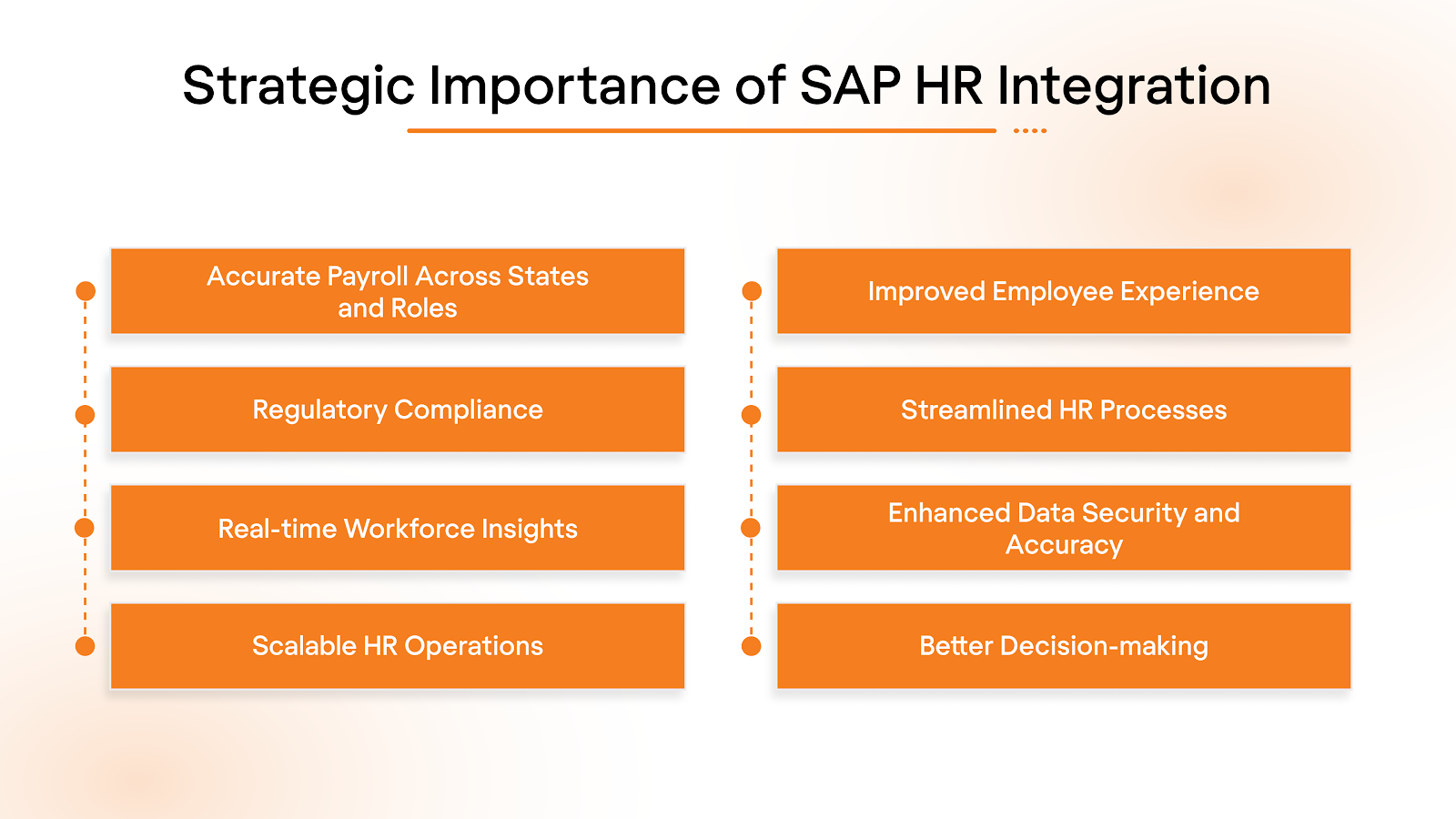
Managing payroll, taxes, and benefits across multiple states is complex. Disconnected HR systems increase errors and compliance risks. SAP HR integration ensures accurate employee data, streamlined operations, and reliable workforce insights.
Below are the key reasons SAP HR integration is essential for organizations:
- Accurate Payroll Across States and Roles: ensures pay calculations automatically reflect state-specific rules, exemptions, and varied compensation structures.
- Regulatory Compliance: keeps HR and payroll processes aligned with FLSA, tax laws, and audit requirements, reducing legal and financial risk.
- Real-time Workforce Insights: provides up-to-date data on labor costs, headcount, and workforce trends to support budgeting, forecasting, and strategic planning.
- Scalable HR Operations: supports growth, mergers, acquisitions, and system upgrades without disrupting core HR functions.
- Improved Employee Experience: minimizes payroll errors, ensures timely benefits administration, and enhances overall employee satisfaction.
- Streamlined HR Processes: automates routine tasks such as onboarding, time tracking, and approvals, freeing HR teams to focus on strategic initiatives.
- Enhanced Data Security and Accuracy: centralizes sensitive employee information, reducing data duplication and improving system reliability.
- Better Decision-making: integrates HR, payroll, and finance data to give leaders a holistic view of workforce performance and costs.
Once the business value is clear, the next step is to understand where and how SAP HR is typically integrated into the enterprise ecosystem.
4 Common SAP HR Integration Scenarios
SAP HR rarely functions in isolation. Most organizations use multiple systems to manage payroll, finance, time tracking, and benefits. Integration ensures consistent data flow, reduces manual effort, and supports compliance.
Below are a few of the most common SAP HR integration scenarios:
1. SAP SuccessFactors to Payroll Integration
Integration between SAP SuccessFactors and payroll systems ensures that employee data and compensation updates flow seamlessly into payroll platforms, reducing errors and manual intervention.
What this integration enables:
- Employee master data sync: Personal information, job titles, and department changes are automatically updated in payroll systems.
- Compensation updates: Salary adjustments, bonuses, and allowances are reflected without manual re-entry.
- Payroll accuracy: Integration reduces discrepancies between HR records and payroll calculations.
- Third-party payroll compatibility: Supports both SAP Employee Central Payroll and external payroll providers.
2. SAP HR to Finance (SAP S/4HANA) Integration
Posting payroll results and labor cost data to finance systems provides accurate cost allocation and reporting, supporting strategic financial planning.
What this integration enables:
- Cost center mapping: Labor costs are automatically allocated to the correct departments and projects.
- Financial reporting: Payroll and HR data feed into balance sheets, P&L statements, and audits.
- Reduced reconciliation efforts: Eliminates duplicate entries between HR and finance systems.
- Compliance support: Ensures payroll expenses are properly accounted for in accordance with regulatory requirements.
3. SAP HR to Time and Attendance Systems
Time data integration ensures accurate wage calculations, overtime management, and compliance with labor laws.
What this integration enables:
- Time tracking: Employee hours, shifts, and schedules flow directly into payroll.
- Overtime and leave management: Automatically calculates overtime pay and leave balances.
- Compliance with labor regulations: Ensures wage calculations meet FLSA and state-specific labor laws.
- Workflow efficiency: Reduces manual timesheet corrections and payroll adjustments.
4. SAP HR to Benefits Administration Platforms
Integration with benefits platforms ensures employee eligibility, deductions, and enrollment data are accurate and up to date.
What this integration enables:
- Eligibility management: Updates to employee status automatically reflect in benefits systems.
- Deductions and contributions: Payroll deductions for health insurance, retirement plans, and other benefits are accurate.
- Enrollment synchronization: Employees’ benefits enrollment selections flow seamlessly from HR to benefits providers.
- Error reduction: Minimizes disputes and administrative overhead related to benefits processing.
While these scenarios deliver significant value, they also introduce complexity. Understanding the most common data challenges helps organizations plan integration more effectively.
Key Data Challenges That Complicate SAP HR Integration
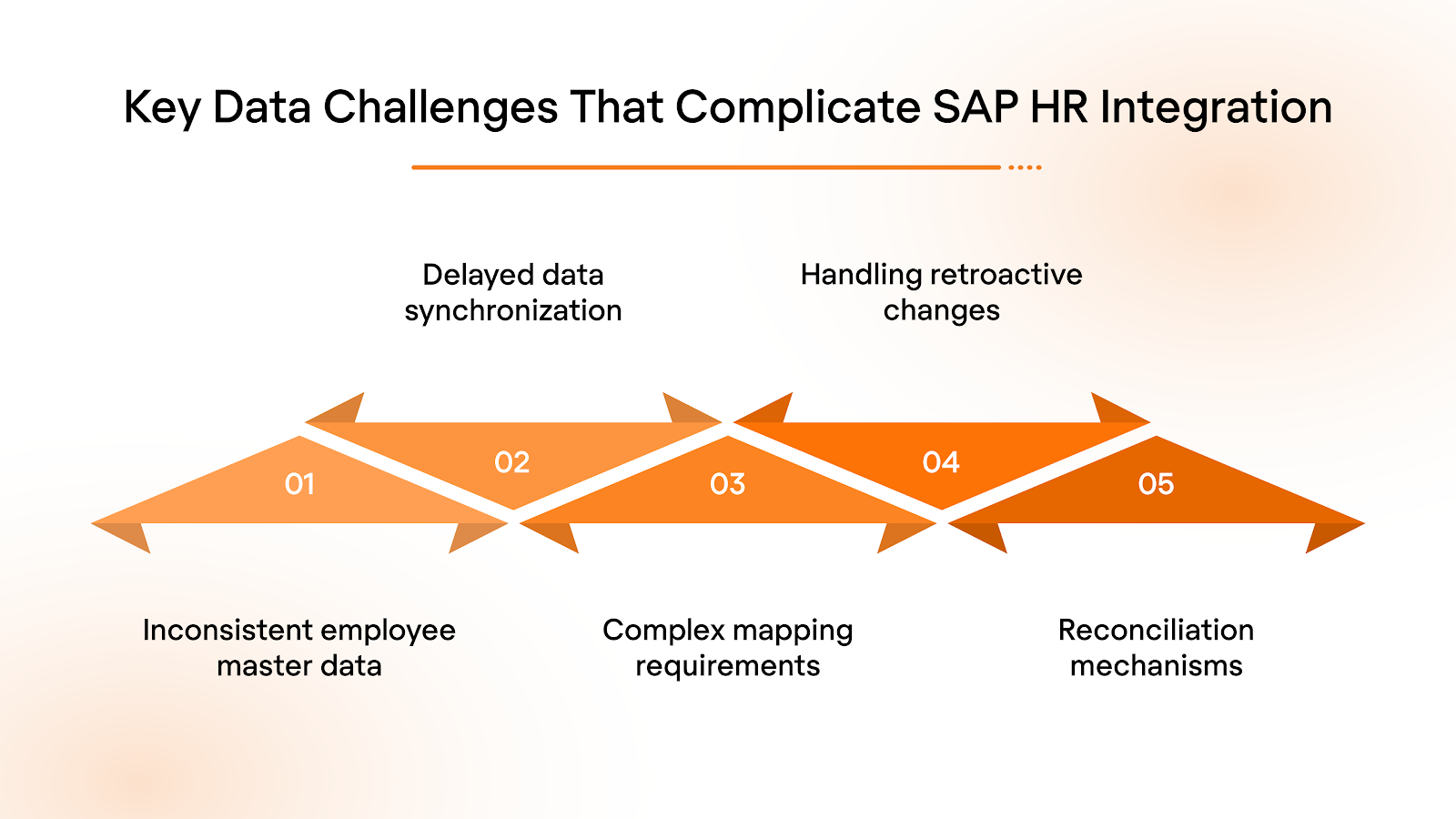
Even mature SAP environments can face integration issues due to data inconsistencies, not system limitations. Variations in data ownership, timing, and structure can create errors during payroll runs, audits, or reporting. Addressing these challenges early is essential for accurate payroll, compliance, and reliable workforce data.
Below are the key data challenges organizations typically face:
- Inconsistent employee master data: Variations between HR and payroll systems in employee records, job roles, or compensation details can cause errors.
- Delayed data synchronization: Batch-based integrations may introduce lag, resulting in outdated information being used for payroll or benefits processing.
- Complex mapping requirements: Aligning pay components, cost centers, job codes, and other system-specific structures often requires detailed configuration and maintenance.
- Handling retroactive changes: Updates to prior payroll periods, such as salary adjustments or corrections, can trigger complex recalculations and reconciliation challenges.
- Limited validation and reconciliation mechanisms: Without robust checks, errors are difficult to detect and trace, increasing the risk of compliance issues.
Also Read: What is an Integration Partnership? Key Insights Explained
Successfully mitigating these challenges requires more than functional HR or payroll expertise. It depends heavily on strong IT ownership and integration architecture decisions.
How IT and Architecture Drive Successful SAP HR Integrations
IT and architecture teams ensure SAP HR integrations are secure, scalable, and reliable. They translate HR and payroll requirements into robust data flows, meet payroll deadlines, and maintain compliance. Collaboration with functional teams minimizes integration risks and reduces long-term maintenance.
Key responsibilities of IT and architecture teams in SAP HR integration include:
- Designing Scalable Integration Architecture: Utilizing SAP Integration Suite, APIs, or certified connectors to support enterprise needs.
- Ensuring Data Security and Access Control: Protecting sensitive employee information across systems.
- Supporting Real-time or Near-real-time Integrations: Ensuring critical payroll and HR data is updated promptly.
- Building Monitoring and Error-handling Frameworks: Implementing logging, alerts, and reconciliation to detect and resolve issues quickly.
- Future-proofing Integrations: Planning for system upgrades, acquisitions, and evolving regulatory requirements.
Also Read: What Is Real-Time Data Synchronization and Why It Matters
With IT and architecture laying the foundation for secure, scalable SAP HR integrations, organizations can utilize platforms like Bindbee to simplify and standardize integration across systems.
Scalable SAP HR Integration Starts With Bindbee
For Employee Benefits Platforms, Bindbee simplifies SAP HR integration by ensuring accurate deductions, consistent dependent and eligibility data, faster employer onboarding, and fewer reconciliation errors through a single standardized API that connects SAP HR with payroll, HRIS, ATS, and related systems.
Here’s how Bindbee’s unified API supports scalable payroll‑onboarding workflows:
- Deep, Standardized Employment Data Model: Bindbee’s unified model covers employees, jobs, time entries, benefits, deductions, contributions, payroll runs, and more. Field mismatches, missing objects, and naming inconsistencies are resolved upstream.
- Connect with any HRIS, Payroll & ATS tool in Minutes: With Magic Link and the embeddable SDK, customers can connect their HRIS or payroll system instantly from your product; no front-end code required.
- Real-Time + Daily Sync Options for Live Payroll Operations: Bindbee syncs workforce changes as they occur and runs stable daily loads for high-volume data. New hires, comp changes, time entries, benefits updates, and termination data stay continuously aligned.
- Issue Detection and Self-Healing Integrations: Bindbee’s Logs and Issues surface integration failures without requiring code changes. Automated retries and workflow repairs prevent most problems before they reach customers.
- Webhooks for Critical Events: Create webhooks in a few clicks to track sync events, downtime, or high-impact changes. This gives engineering and payroll teams real-time visibility into upstream data.
- Enterprise-Ready Security and Deployment Options: Bindbee is SOC 2, ISO, GDPR, and HIPAA compliant, with optional on-prem deployment and multi-geo data residency.
Together, these capabilities create a consistent data layer across HR, payroll, and benefits systems, enabling standardized employee data, reliable synchronization, and scalable, compliant workforce operations. Book a demo to see Bindbee in action.
FAQs
1. Is SAP HR integration only relevant for large enterprises?
No. Mid-sized and growing organizations also gain significant benefits. As hiring volume rises, compliance requirements increase, and multiple systems are introduced, integrated HR and payroll processes reduce errors, save time, and provide accurate workforce insights critical for strategic decision-making.
2. Can SAP HR integrate with non-SAP payroll systems?
Yes. SAP HR supports integration with external payroll systems through APIs, middleware, or enterprise integration platforms. This allows organizations to maintain payroll accuracy, synchronize employee and compensation data, and streamline cross-system processes without migrating to SAP in its entirety.
3. How often should SAP HR data sync with payroll systems?
Critical employee changes, such as new hires, terminations, or salary adjustments, should be synced in near real time. Stable data, such as address updates or role changes, can be applied daily or in batches, balancing system performance with data accuracy.
4. What is the most significant risk in SAP HR integration projects?
The most common risk stems from unclear data ownership, inconsistent data standards, and a lack of monitoring. Without clear responsibilities and real-time validation, errors accumulate over payroll cycles, increasing compliance exposure and manual reconciliation work.
5. How can organizations future-proof SAP HR integrations?
Future-proofing requires standardized data models, minimal custom logic, and robust integration layers that accommodate system upgrades or regulatory changes. Regular audits, monitoring frameworks, and alignment between IT and HR teams ensure integrations remain accurate and scalable over time.


.avif)



