
HCM–Payroll Integration Explained: Key Benefits & Implementation Steps
Summarise the blog with AI
Accurate payroll depends on one thing: clean, up-to-date data from your HCM system. But when HR and payroll operate separately, teams end up manually updating records, fixing mismatched fields, and reconciling errors every cycle.
That’s where most payroll issues start. And the impact is real: one in five payrolls in the United States contains errors, costing an average of $291 per mistake.
HCM–payroll integration solves this by creating a real-time data flow between both systems. Job changes, hours worked, taxes, deductions, and benefits updates sync automatically, so payroll always runs on the latest information.
For any organization growing in complexity, this isn’t optional. It’s the only way to reduce errors, avoid compliance risk, and give payroll teams predictable, accurate inputs every cycle.
This guide breaks down how HCM–payroll integration works and how to get it right.
At a glance:
- What HCM–Payroll Integration Is: A real-time data pipeline that keeps employee, job, time, tax, and deduction data perfectly aligned so payroll always runs on accurate inputs.
- Why It Matters: Clean, automated syncs remove the biggest causes of payroll errors, off-cycle checks, and compliance issues.
- Where Integrations Fail: Inconsistent data, unclear system ownership, file-based workflows, and missing monitoring create chronic payroll drift.
- How to Integrate Properly: Map required fields, define systems of record, align GL codes, design smart sync logic, enforce cutoff workflows, test with real data, and monitor continuously.
- Best Integration Methods: File-based, native connectors, direct APIs, iPaaS, and unified APIs—unified APIs offer the fastest onboarding and lowest engineering lift.
- Business Impact: Higher payroll accuracy, fewer manual fixes, stronger compliance, better employee experience, and scalable operations.
What HCM–Payroll Integration Actually Means
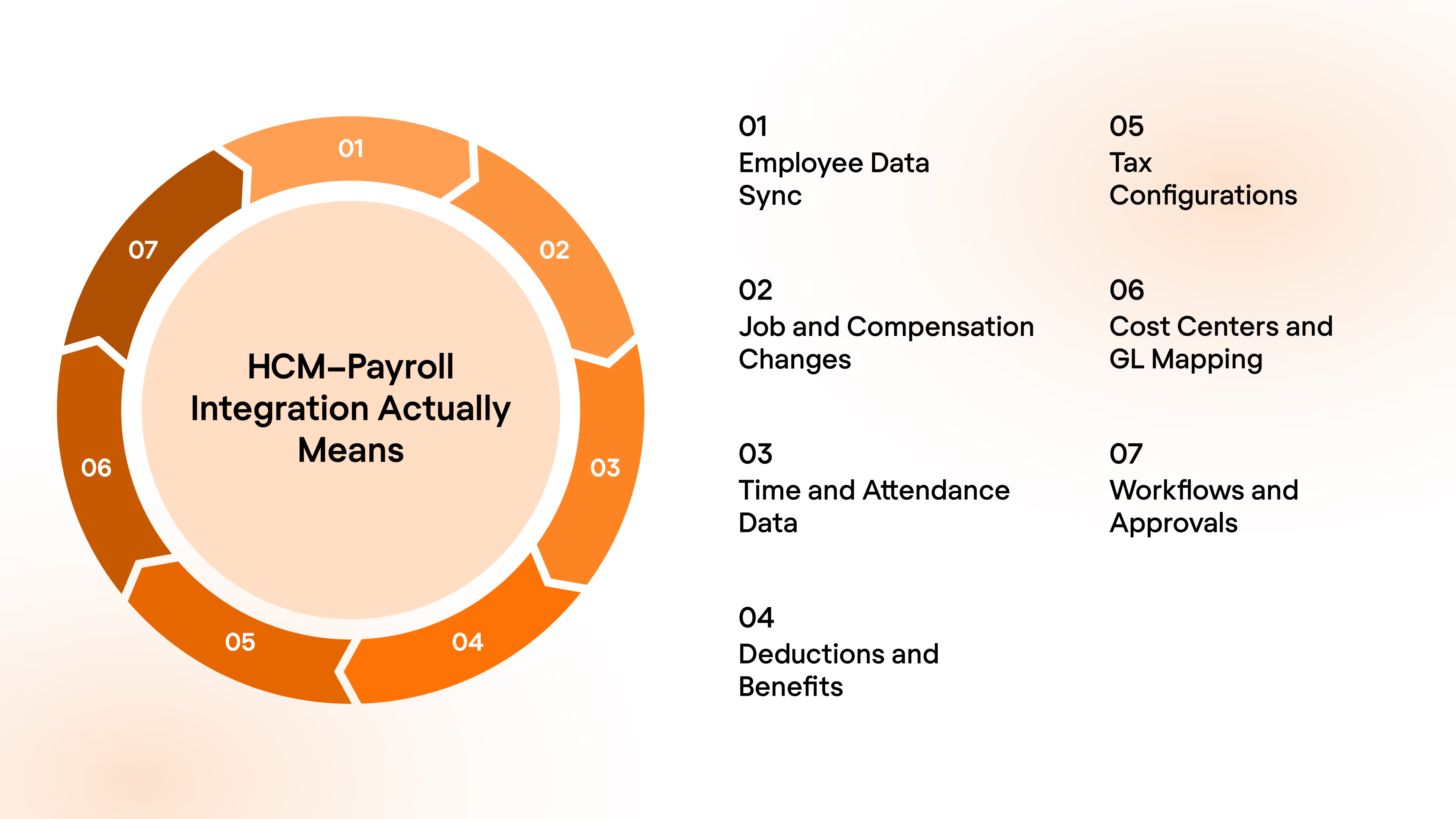
At its core, HCM–payroll integration is a live data pipeline that keeps all workforce, compensation, and time data perfectly aligned between your HCM system and your payroll engine. Instead of updating two systems manually, every HR-driven change flows automatically into payroll, ensuring each pay run is accurate, compliant, and ready to execute.
This is far more than syncing employee profiles. True HCM–payroll integration connects every upstream change that affects how people get paid.
Here are the components that make that possible:
- Employee Data Sync: Full employee profiles, including hire dates, status, demographics, exempt classification, and reporting structure. This is the foundation for eligibility, pay cycles, and compliance.
- Job and Compensation Changes: Promotions, raises, pay-type shifts, variable pay, and location changes must sync instantly to prevent incorrect pay or compliance gaps.
- Time and Attendance Data: Hours worked, overtime, breaks, PTO, and shifts flow directly into wage calculations, overtime rules, and labor law compliance.
- Deductions and Benefits: Health premiums, retirement contributions, garnishments, and pretax or post-tax deductions must match the employee’s current enrollment rules for payroll to calculate correctly.
- Tax Configurations: Multi-state taxation, local taxes, jurisdiction changes, and withholding updates must sync without manual updates to avoid penalties or corrective runs.
- Cost Centers and GL Mapping: Departments, locations, and GL segments must align across HCM and payroll, so payroll expenses hit the right accounts at month-end.
- Workflows and Approvals: Hires, terminations, comp updates, bonuses, and time approvals all need to close before payroll runs to avoid last-minute data chases.
With all components in sync, payroll simply runs the way it should.
5 Methods to Integrate Your HCM and Payroll Systems
Not all integrations are equal. Understanding the main integration models helps you choose the right approach for your product, your customers, and your scale.
Here is how each method works:
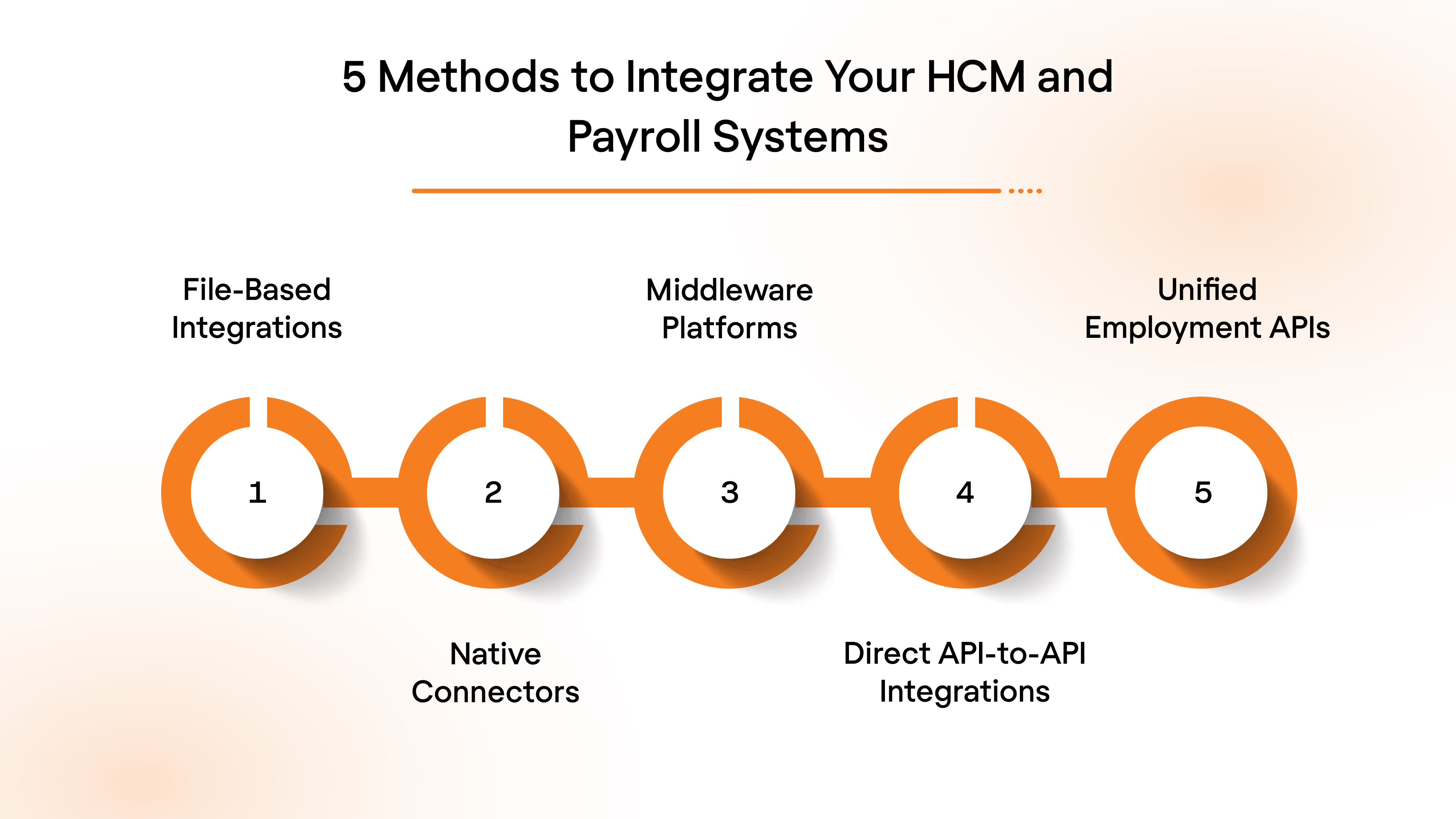
1. File-Based Integrations (CSV, SFTP)
Basic exports and uploads that move data in batches, often manually.
When to use: Small teams or legacy systems where changes are infrequent and real-time accuracy is not critical.
2. Native Connectors
Vendor-built integrations that sync a predefined set of fields between systems.
When to use: When your HCM and payroll vendor already support a connector, and your data needs are simple.
3. iPaaS or Middleware Platforms
Workflow automation tools that route data between multiple systems using configurable logic.
When to use: Organizations managing multi-system workflows beyond HR and payroll, with the bandwidth to maintain logic.
4. Direct API-to-API Integrations
Custom engineering-built connections to each payroll or HCM vendor’s API.
When to use: When you require deep customization and have the engineering resources to maintain multiple integrations.
5. Unified Employment APIs
A single API that connects your product to many HCM and payroll systems through a standardized model.
When to use: When you need scale, fast onboarding, consistent data, and minimal engineering maintenance.
Suggested Read: Everything You Need to Know About Payroll API Integration
What You Gain From True HCM–Payroll Integration
A clean HCM–payroll integration does more than move data between two systems. It eliminates the friction points that cause payroll delays, compliance gaps, and hours of manual reconciliation. When HR and payroll operate from the same real-time data, the entire people-to-pay workflow becomes faster, cleaner, and far more predictable.
Here is what strong integration unlocks:
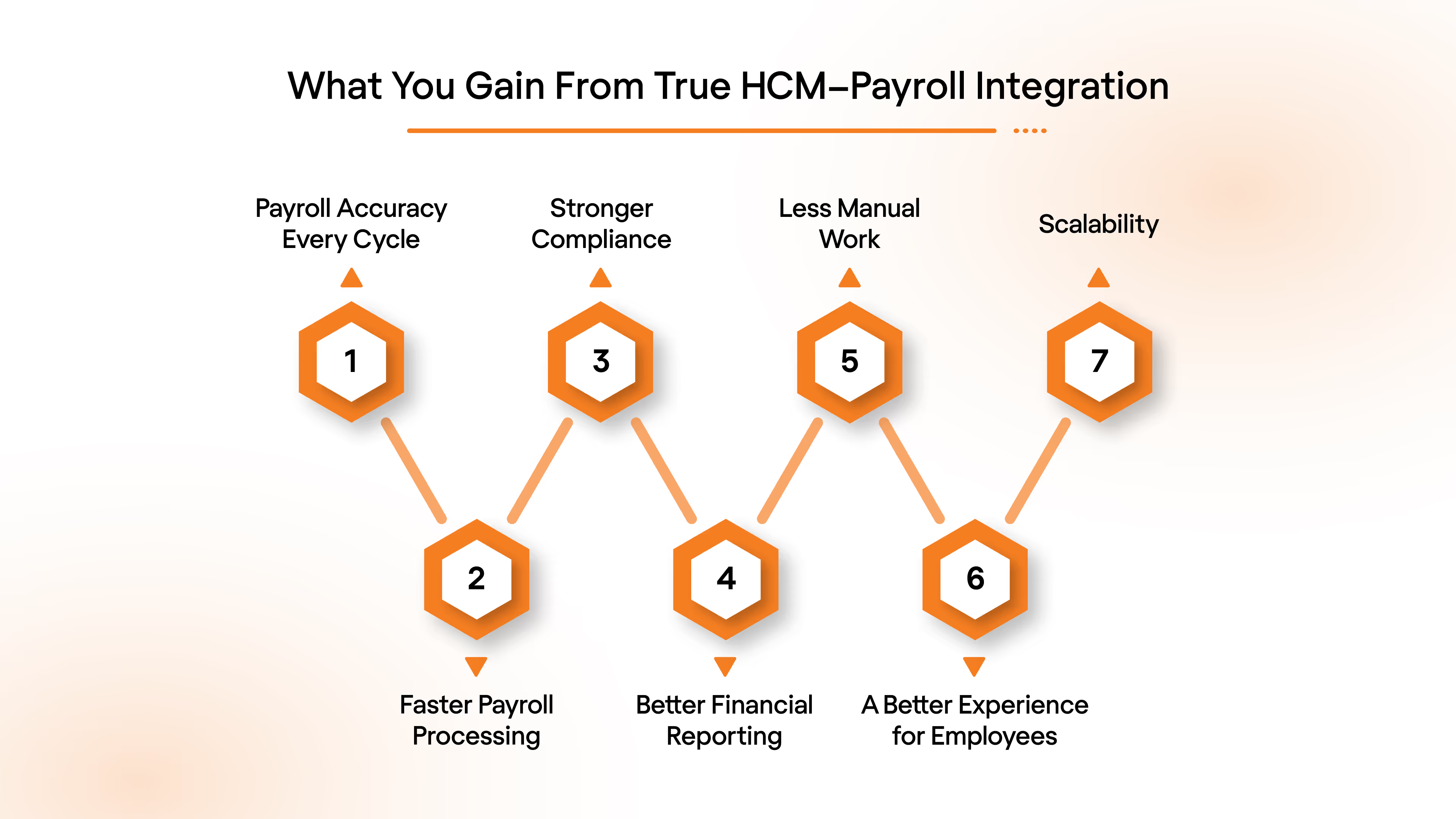
1. Payroll Accuracy Every Cycle
Accurate payroll starts with accurate data. When employee details, job changes, worked hours, and benefits deductions flow automatically into payroll, every calculation is based on the latest information. This eliminates the common causes of payroll errors, such as outdated pay rates, missing hours, or incorrect deductions.
2. Faster Payroll Processing
Without integration, payroll teams spend hours validating data, importing spreadsheets, and reconciling mismatched records. Integrated systems already contain the correct inputs by the time payroll begins, so teams can focus on approving pay runs instead of fixing them.
3. Stronger Compliance and Lower Risk
Payroll compliance depends on accurate classification, correct tax jurisdiction data, and up-to-date employment status. Integration ensures all of this is updated automatically, which removes the risk of penalties caused by manual updates or missed changes.
4. Better Financial Reporting
Finance teams rely on payroll data to reflect real labor costs. When cost centers, departments, and GL mappings sync cleanly, payroll entries land in the right accounts without manual adjustments. This leads to more accurate financial statements and smoother audits.
5. Less Manual Work for HR and Payroll
Manual data entry is the number-one source of payroll errors. Integration removes this entirely by syncing updates the moment HR enters them. This frees both HR and payroll teams from repetitive administrative tasks and reduces the risk of human mistakes.
6. A Better Experience for Employees
Employees notice payroll issues immediately. Incorrect deductions, wrong hours, or delayed updates erode trust quickly. When HCM and payroll are integrated, these issues drop significantly because data stays aligned at all times.
7. Scalability for Growing Organizations
As companies expand across locations, add new roles, or adopt more complex pay structures, manual processes cannot keep up. Integrated systems adjust automatically to new cost centers, new tax rules, and new workflows without adding administrative burden.
How to Integrate Your HCM and Payroll Systems
A clean HCM–payroll integration follows a predictable sequence. Each step removes friction, prevents payroll errors, and ensures both systems stay aligned as your organization grows.
Here is the practical workflow teams should follow.
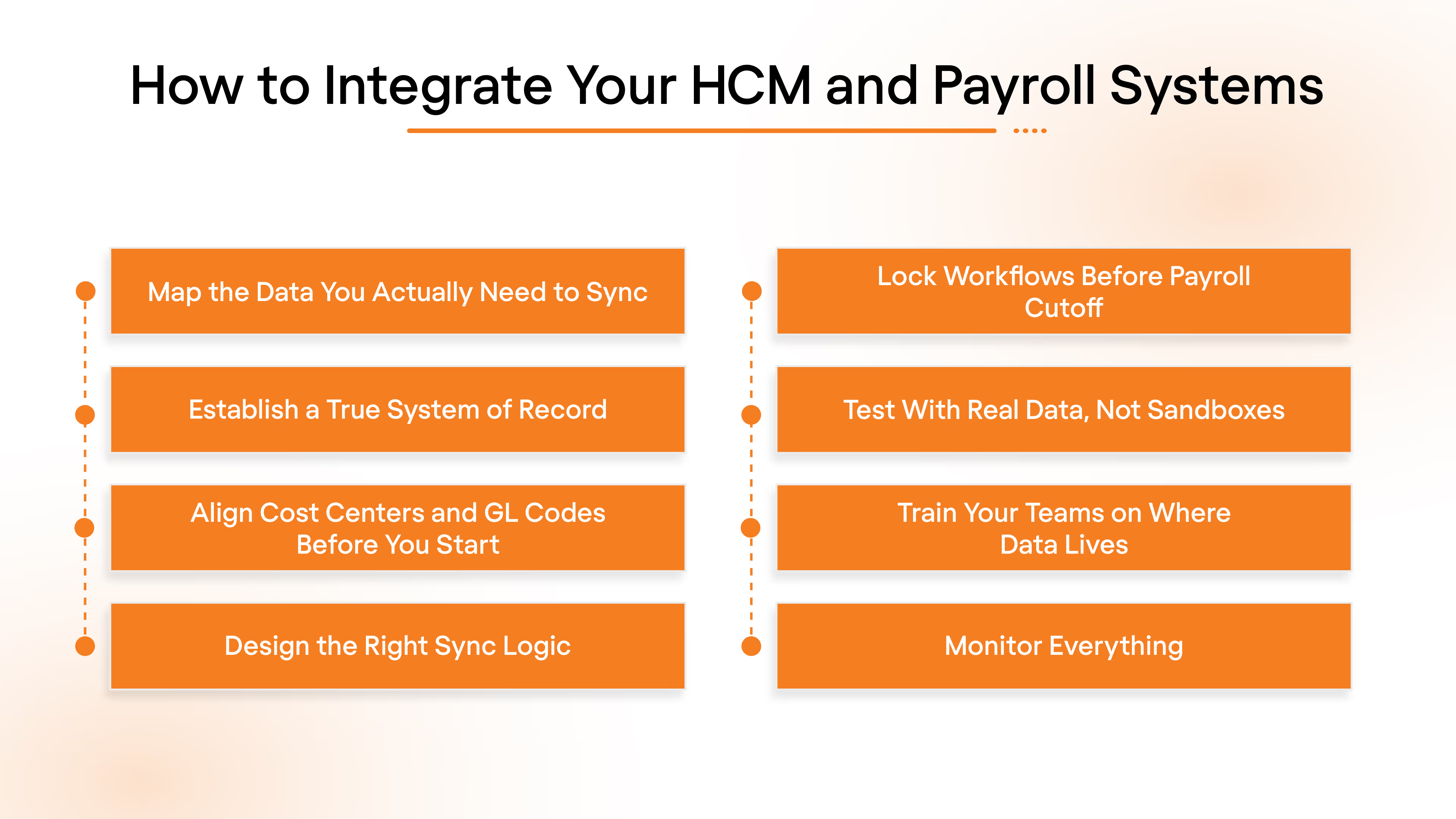
1. Map the Data You Actually Need to Sync
Most payroll errors come from missing or inconsistent data. Before integrating anything, get crystal-clear on which fields payroll relies on and how each system formats them. Demographics, jobs, comp, taxes, benefits, time, and GL codes all behave differently across platforms.
What to do:
- Build a detailed mapping spreadsheet
- Confirm who owns each field and whether it is required
- Reconcile naming differences and identify gaps or conflicting formats
This becomes your integration blueprint. If it is wrong, everything downstream breaks.
2. Establish a True System of Record
Integrations break when systems overwrite each other. HCM usually owns jobs and comp, payroll owns taxes, and time systems own hours. Without defined ownership, data ping-pongs between systems and creates payroll drift.
What to do:
- Assign system-of-record ownership for every field
- Define which system updates flow downstream
- Prevent upstream data from being overwritten accidentally
This alignment eliminates the silent conflicts that cause payroll drift.
3. Align Cost Centers and GL Codes Before You Start
Even perfect payroll inputs fail if cost centers or GL codes don't align. When departments or locations differ across systems, month-end reconciliation becomes manual and messy.
What to do:
- Clean up naming conventions across HCM and payroll
- Build a crosswalk table for cost centers and GL codes
- Have finance validate every mapping before integration begins
Skipping this step guarantees reconciliation issues later.
4. Design the Right Sync Logic
Not all data should sync the same way. High-impact events need real-time sync. Time data often batches daily. Taxes require precise triggers. Treat everything the same, and you introduce lag and payroll errors.
What to do:
- Create event-based sync triggers for high-impact changes
- Schedule batch syncs for recurring data, such as time entries
- Define logic for retroactive corrections
This eliminates the timing gaps that normally cause incorrect pay.
5. Lock Workflows Before Payroll Cutoff
Cutoff discipline is everything. If approvals happen too late, payroll teams spend hours chasing missing information. And when data arrives after the sync, it results in off-cycle checks, incorrect deductions, and frustrated employees.
What to do:
- Set clear cutoff times tied to the payroll cycle
- Require final approvals before data sync
- Build validation checks to block incomplete workflows
This ensures payroll is running on complete, accurate data.
6. Test With Real Data, Not Sandboxes
Sandboxes are safe, clean, and unrealistic. They do not expose multi-state taxation, retro pay adjustments, garnishments, multiple EINs, shift premiums, or rehire logic. These are the scenarios that determine whether your integration will hold up in production.
What to do:
- Run parallel payroll cycles using real employee data
- Validate every calculation against expected payroll outputs
- Stress-test edge cases before launching
If it works with real data, it will work in production.
7. Train Your Teams on Where Data Lives
Even perfect integrations break when HR or payroll updates the wrong system. This is the most common failure mode and the easiest to prevent. You need clarity on which system should be updated for each type of change.
What to do:
- Document end-to-end processes
- Hold training sessions for HR, payroll, and operations
- Provide a quick-reference guide for where to update what
This prevents “human overrides” from breaking automated syncs.
8. Monitor Everything
Integrations fail quietly and slowly. Most issues start small: a provider changes a field, an API token expires, or a sync job is delayed. If you are not watching your data flows, you find out at payroll — when it is too late.
What to do:
- Set up monitoring dashboards and sync alerts
- Review logs and audit activity regularly
- Run periodic reconciliation checks
Early detection prevents a minor sync issue from becoming a payroll crisis.
Suggested read: Unified API: The Secret to Effortless Integrations
The Biggest Challenges in HCM–Payroll Integration
Even the strongest payroll engines fail when the upstream data is fragmented, inconsistent, or late. Here are the challenges teams run into most often:
- Too Many Systems and No Standard Data: Every HCM, payroll, and time tool structures data differently, forcing teams to normalize fields manually before every payroll run.
- Job and Compensation Changes Sync Late or Incorrectly: Promotions, raises, pay-type shifts, and location changes often arrive in inconsistent formats, creating payroll inaccuracies and compliance risk.
- Time and Attendance Data Doesn’t Match Payroll Rules: Breaks, overtime, PTO, and shift patterns differ across systems, requiring custom translation that often breaks during payroll.
- Deduction and Benefits Mapping Is Error-Prone: Pretax vs post-tax logic, employer matches, and deduction codes vary by employer, making accurate mapping a recurring challenge.
- Tax Profiles Are Hard to Keep Updated: Multi-state work, jurisdiction changes, and withholding updates frequently fall out of sync, causing tax miscalculations and corrective runs.
- GL and Cost Center Structures Don’t Align: HCM and payroll rarely share the same department or cost-center schema, leading to messy month-end reconciliation.
- Scaling Multiplies Integration Complexity: Each new employer, pay group, or system adds another layer of connectors, logic, and maintenance.
The takeaway is simple: you can’t fix payroll accuracy without fixing the data feeding into it. That’s where a unified API changes everything.
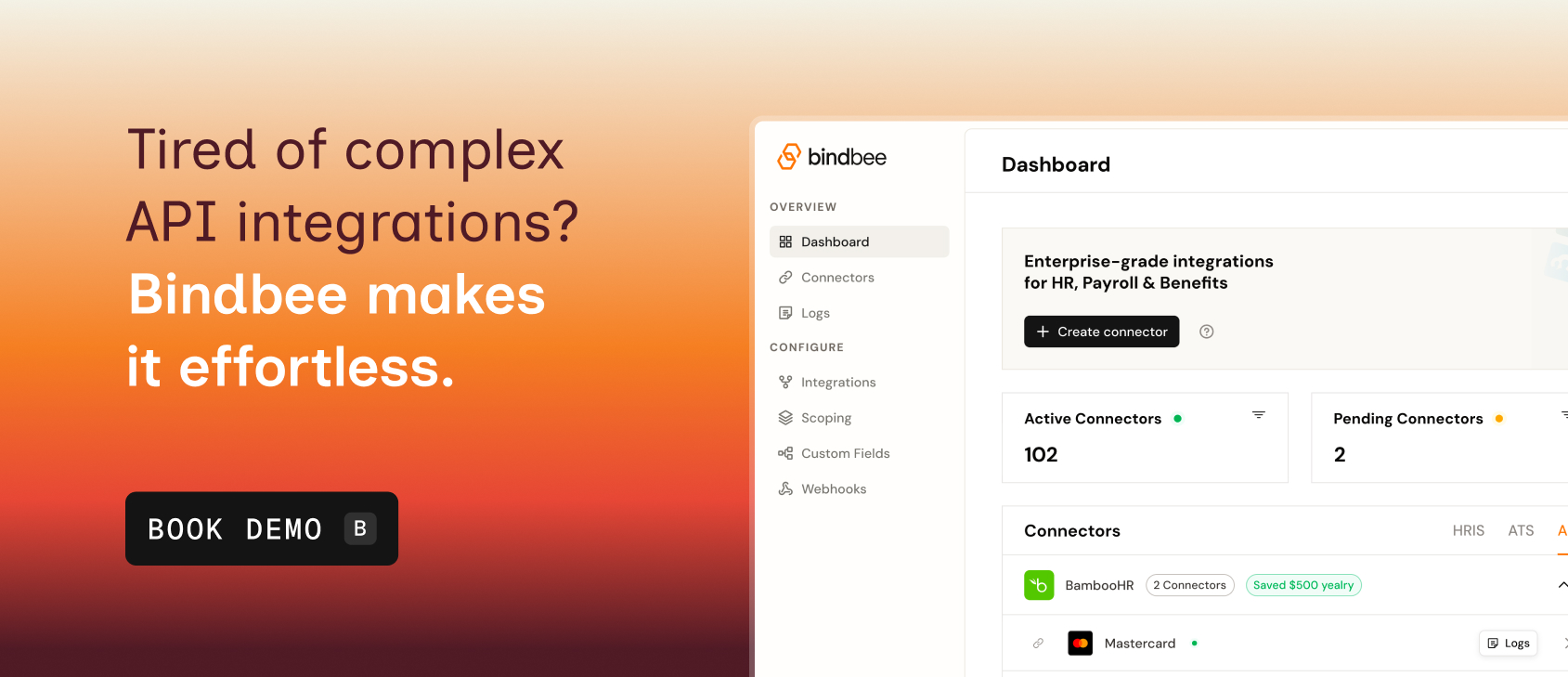
Scalable HCM–Payroll Integration Starts With Bindbee
With one unified employment API, Bindbee delivers clean, normalized, payroll-ready data from 60-plus HRIS, ATS, and payroll systems. Instead of managing one-off connectors and reconciling mismatched fields, your team works with a single, consistent dataset that payroll can trust from day one.
Here’s how Bindbee streamlines HCM–payroll workflows:
- Deep, Standardized Employment Data Model: Bindbee’s unified model covers employees, jobs, time entries, benefits, deductions, contributions, payroll runs, and more. Field mismatches, missing objects, and naming inconsistencies are resolved upstream.
- Integrate With Any Employment App in Under 5 Minutes: With Magic Link and the embeddable SDK, customers can connect their HRIS or payroll system instantly from your product. No front-end code required.
- Real-Time + Daily Sync Options for Live Payroll Operations: Bindbee syncs workforce changes as they occur and runs stable daily loads for high-volume data. New hires, comp changes, time entries, benefits updates, and termination data stay continuously aligned.
- Issue Detection and Self-Healing Integrations: Bindbee’s Logs and Issues surface integration failures without touching code. Automated retries and workflow repairs prevent most problems before they reach customers.
- Webhooks for Critical Events: Create webhooks in a few clicks to track sync events, downtime, or high-impact changes. This gives engineering and payroll teams real-time visibility into upstream data.
- Enterprise-Ready Security and Deployment Options: Bindbee is SOC 2, ISO, GDPR, and HIPAA compliant, with optional on-prem deployment and multi-geo data residency.
Together, these capabilities give your team what they’ve always needed: a single, consistent data layer that works across every employer system.
Book a demo to see Bindbee in action.
FAQs
1. Does HCM include payroll?
Not always. Most HCM systems handle core HR data, while payroll is a separate module or platform. Integrating the two ensures payroll receives accurate, real-time updates from HR.
2. What is payroll in HCM?
Payroll calculates wages, deductions, contributions, and taxes. HCM stores the upstream employee and job data that payroll depends on. Integration keeps both systems aligned and error-free.
3. What happens if HCM and payroll are not integrated?
You get outdated job data, incorrect deductions, missed tax updates, and payroll errors that require off-cycle fixes and manual cleanup. Integration removes these gaps by syncing changes automatically.
4. How long does HCM–payroll integration typically take?
Traditional builds take weeks or months due to inconsistent data formats across providers. With a unified employment API like Bindbee, employers can connect in under 5 minutes and go live much faster.
5. Is API-based HCM–payroll integration secure?
Yes. Modern payroll APIs use encryption, token-based authentication, and audit logs. Bindbee adds SOC 2, ISO, GDPR, and HIPAA compliance, plus optional on-prem deployment for enterprise-grade security.